Book your Bus Tickets

Other Services from Wee Bus

Multiple boarding points

Easy Downloadable

Authorized Bus Operators

Customize Seats

24*7 Support
Bus Operators for Wee Bus

Orange Tours

Kaveri Tours

V Kaveri Tours

Moon Star Tours

KVR Tours

Yolo Bus


Why Choose WeeBus for Bus Ticket Booking ?
With instant booking, customizable itineraries, and real-time bus tracking, you’ll always be in control of your travel plans.
Best Coupons for u


5000+ Bus Partners

365 Days Support

On Spot Booking

Easy Refunds

Why Choose WeeBus for Bus Ticket Booking ?
With instant booking, customizable itineraries, and real-time bus tracking, you’ll always be in control of your travel plans.
Frequently asked questions for WeeBus
Enjoy exclusive discounts, flexible cancellation policies, and 24/7 customer support to ensure a smooth journey.
How is the ticket price calculated?
Ticket prices vary depending on the distance, type of service (e.g., standard, express, luxury), and other factors set by the bus company. Prices will be displayed once you select your route and travel date.
What payment methods are accepted on WeeBus?
We accept a variety of payment methods, including credit/debit cards and other popular online payment gateways. You can also use mobile wallets such as Google Pay, Paytm, Apple Pay and etc for quick transactions.
Are there any discounts available on the ticket amount?
Yes, we offer a wide range of discounts for our customers, and you can explore all available deals in the Offer's Zone.
How do I cancel my bus ticket?
To cancel your ticket, go to the "My Tickets" section in the app, select the ticket you want to cancel, and tap the "Cancel Ticket" option. Follow the prompts to confirm the cancellation.
I missed my bus. Can I still cancel the ticket?
Unfortunately, missed buses are usually not eligible for refunds. We recommend cancelling as soon as you know you won’t be able to make your trip.
Can i cancel or modify my booking?
Unfortunately, modification of bookings is not currently available, but you can cancel your booking and rebook for a different date, time and seat.
Is there a cancellation fee for refunds?
Some bus operators may charge a cancellation fee, which will be deducted from the refund amount. Details about any applicable fees will be displayed before you confirm the cancellation.
How do I buy a bus ticket?
Go to the "Tickets" section, choose your route, select your travel date and time, and complete the payment process.
How will i receive my ticket upon successful booking?
If you have the WeeBus app, your ticket will also be available in your "My Bookings" section. You can access it anytime and show it directly from your mobile device when boarding the bus. Once your booking is confirmed, you will receive an e-ticket to the email address you provided during the booking process, as well as to your Whatsapp and via SMS. This e-ticket will contain all your travel details, such as departure time, bus number, seat number, and a unique booking reference.
Do i need to print my ticket?
No, you do not need to print your ticket!
You can simply show your e-ticket directly from your mobile device when boarding the bus.
What shoud i do if bus is delayed?
We always strive to minimize delays, but if they do happen, we are here to ensure you have the best possible experience. If you need more assistance during the delay, don’t hesitate to reach out to our customer service.
Can i book ticket for others?
Yes, you can definitely book a ticket for someone else on WeeBus. During the booking process, you will be asked to enter passenger details. You can enter the details for the person you're booking the ticket for.
Can i choose my pickup and drop point?
Yes, you can choose your own pickup and drop-off points on WeeBus, as long as the location is available on the route you're booking.
How can I get in touch with your customer support?
Visit our website or mobile app to access our Support section, where you can get immediate assistance by call or email. Our customer support team is available 24/7 to ensure you have a smooth experience with WeeBus.
How can I provide feedback or report a problem?
After your journey with WeeBus, you will receive a feedback link via email or SMS. This link allows you to provide feedback or report your problem. We appreciate your feedback and are always ready to help resolve any issues.
Can I see my booking history?
Yes, you can easily view your booking history with WeeBus.
To access your past bookings, simply follow these steps:
- Log in to your account on the WeeBus website or mobile app.
- Go to the "My Bookings" section, where you'll find a detailed list of all your previous bookings.
- You can view the travel dates, routes, and booking details for each trip you’ve taken.
Online Bus Booking Services
Welcome to hassle-free travel! Our bus ticket booking app is designed to make your journey as smooth as possible. Our app also offers easy cancellation and rescheduling options for added flexibility.
Plus, with in-app customer support, you’ll have assistance whenever you need it. Whether you're traveling for business or leisure, let us help you hit the road with ease—download now and start exploring.
Memorable Travels are just a Tap Away.
Install the WeeBus App Today!
- Fast Booking
- Special Discounts
- Trusted Services
- Swift Refunds
- Seamless Trips
- Easy Cancellation
Download the App on


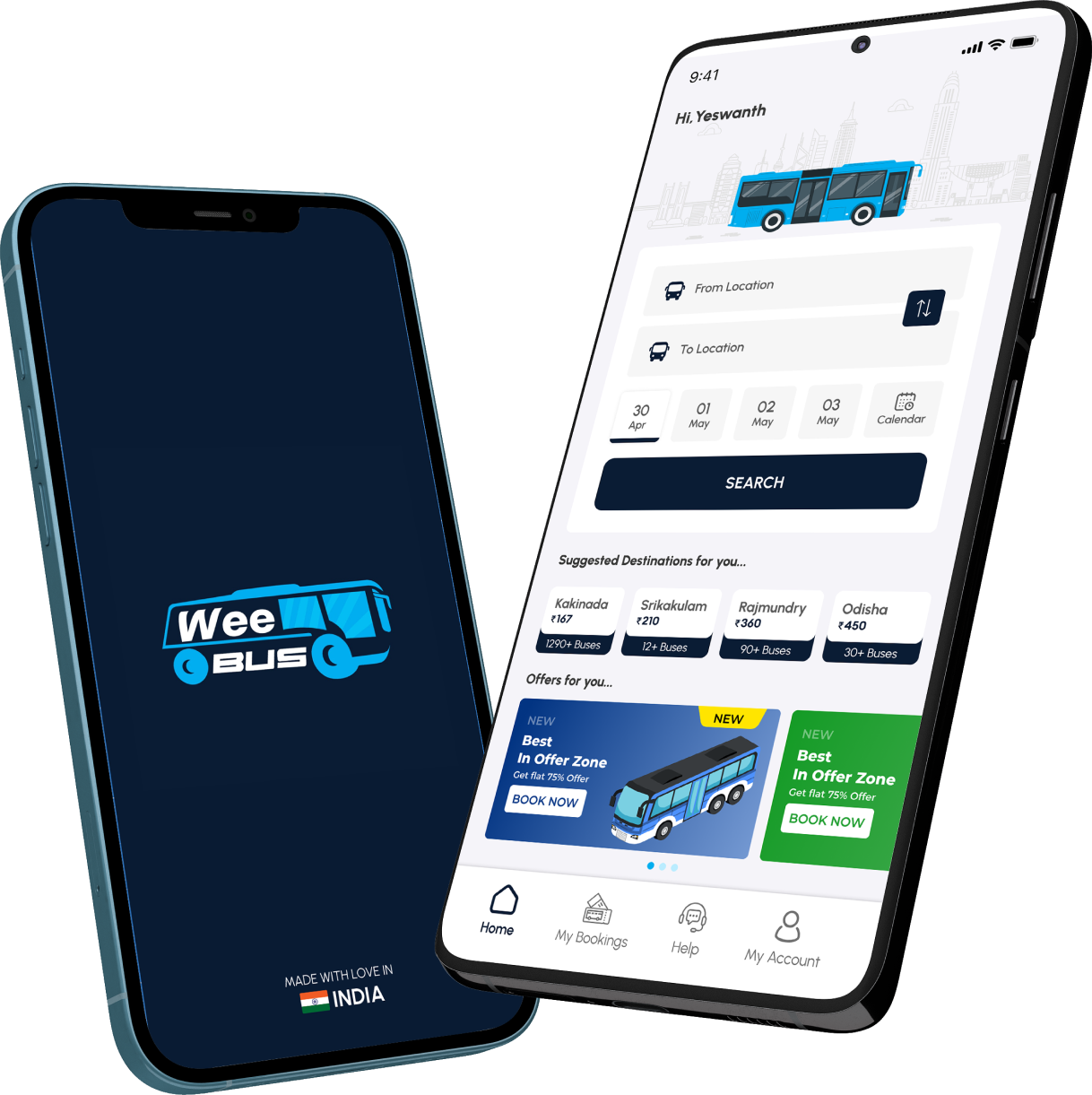
Online Bus Booking Services
Discover the future of travel with our innovative bus ticket booking app! Say goodbye to long queues and complicated processes. With just a few taps, you can search, compare, and book bus tickets from a wide range of operators.
Enjoy exclusive discounts, flexible cancellation policies, and 24/7 customer support to ensure a smooth journey. Our app features easy payment options, digital boarding passes, and real-time updates on your bus status.